The grainmag companion app
grainmag Companion App
Meter and place your tones without a signal. No account, no internet required — just you, the light, and the grain.
New On-device AI composition advisorFree during the beta · €9.99 one-time at launch · no subscription, no account, works fully offline.
New · on-device AI
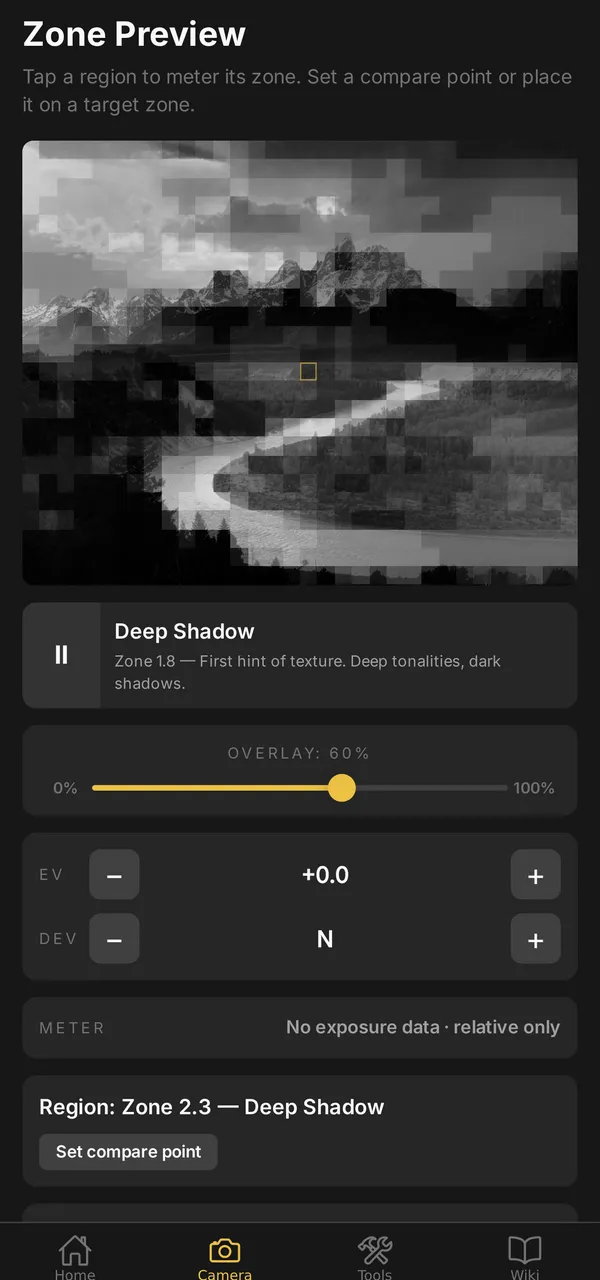
A composition advisor that thinks on your phone
Shoot or pick a frame and grainmag reads the light — region by region — then talks through the composition and proposes where to place your key tones. A compact AI model runs entirely on the device: no cloud, no account, nothing ever uploaded.
- Reads the frame in zones
- It maps every part of the frame to its Zone — the same 0–X scale you meter by — so the advice is grounded in the tones actually in front of you.
- Talks composition, not exposure math
- Balance, leading lines, subject weight, where the tones fall. It speaks qualitatively and never invents an f-stop or EV — the numbers stay with the meter.
- Suggestions you can tap to apply
- Each tip is live: tap “Place top-center on Zone VI” and the metering engine recalculates the whole tonal range around that placement.
- Runs fully offline — and private
- The model lives on your phone. No connection, no account, no frame ever leaves the device. Works in a darkroom, a canyon, or aeroplane mode.
Available on supported Android devices (roughly 6 GB of RAM and up). iOS support is planned.
What it does
Six hand-built tools for working the Zone System in the field — plus the advisor above. Every one runs offline.
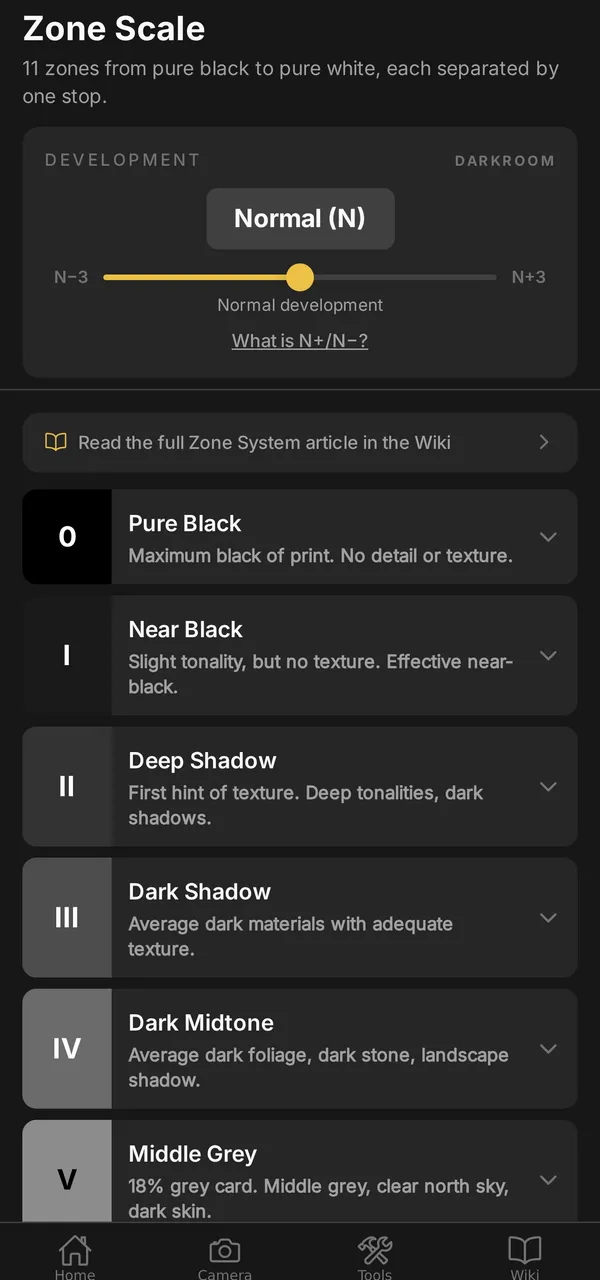
Zone Scale
An interactive reference of all 11 zones (0–X), from pure black to pure white. Slide the N+/N− development control to see how each zone shifts with expanded or contracted development.
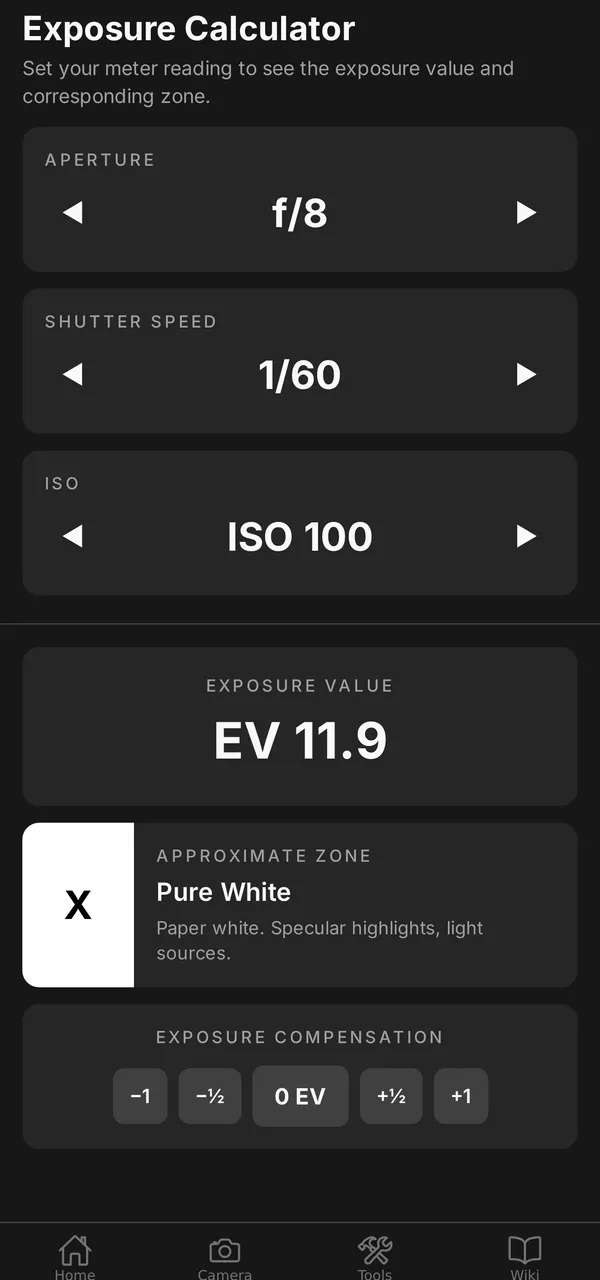
Exposure Calculator
Dial in aperture, shutter speed, and ISO to see the resulting EV and the zone it maps to. Apply ±EV compensation and get the adjusted shutter speed instantly.
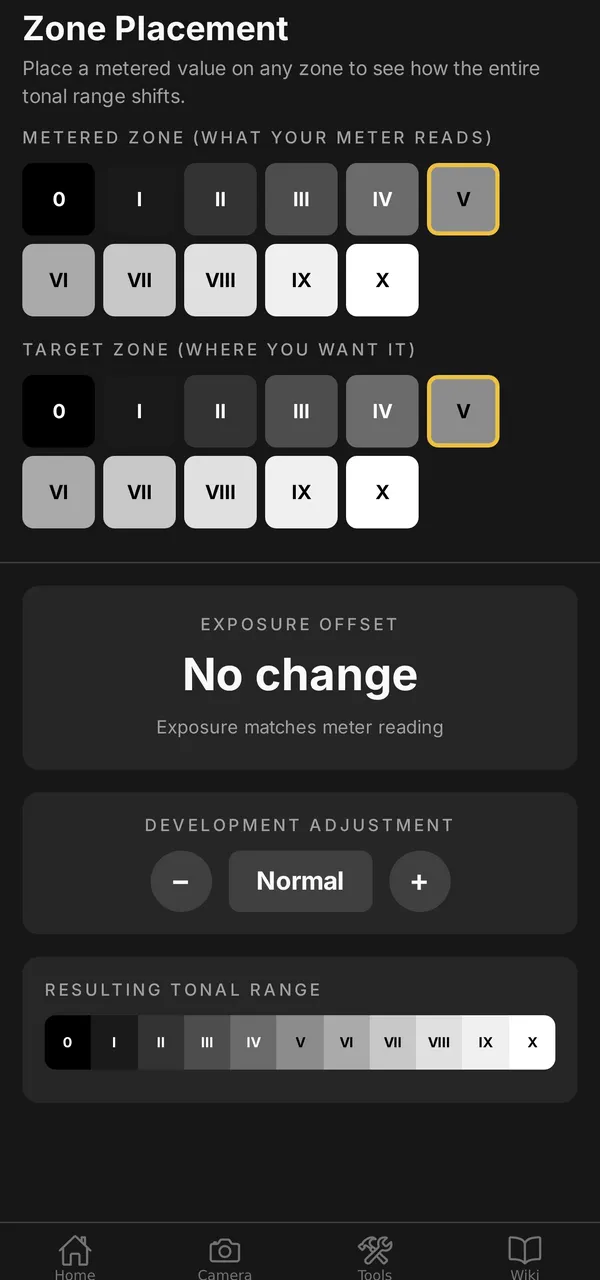
Zone Placement
Choose where your meter reads and where you want it in the final image. The app calculates the stop offset and shows how the whole tonal range shifts.
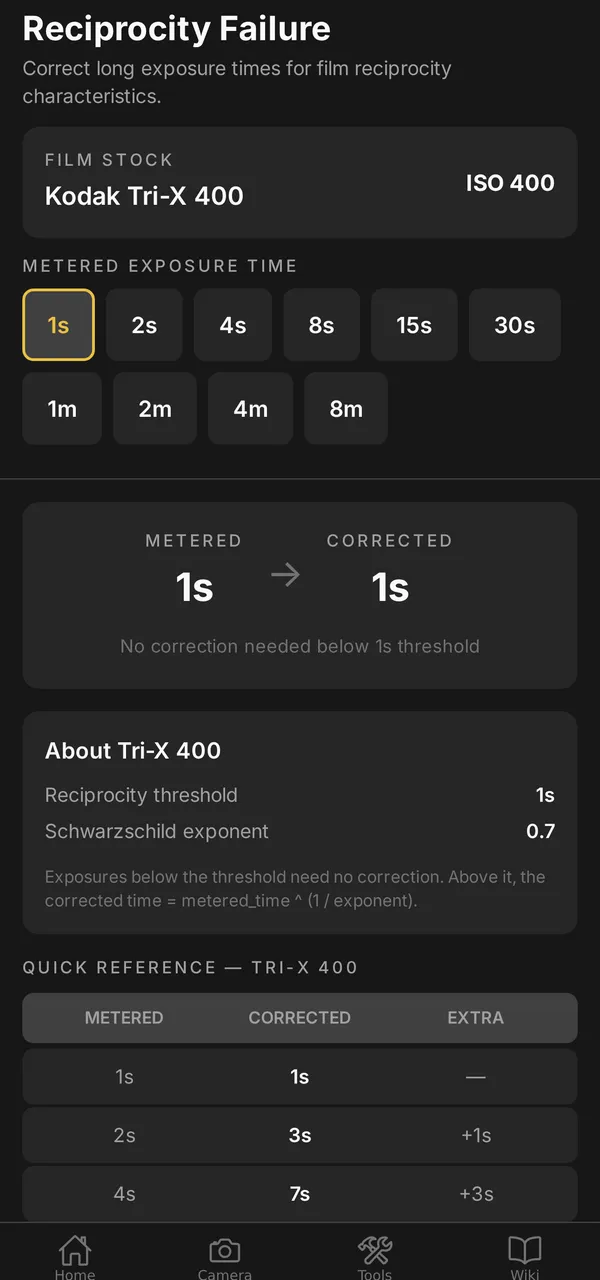
Reciprocity Correction
Corrected long-exposure times for 11 film stocks — Tri-X, T-Max, HP5 Plus, FP4 Plus, Delta, Acros II, Fomapan and more — with a quick-reference table.
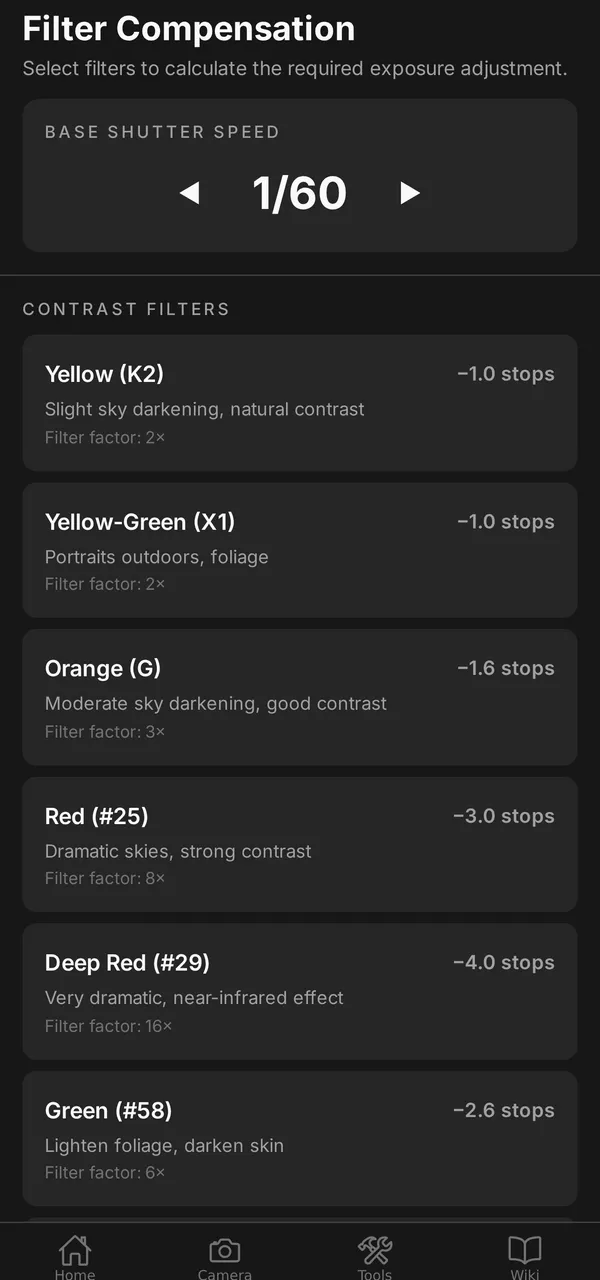
Filter Compensation
Select contrast filters, ND filters, or a polarizer and see the total stop adjustment applied to your base shutter speed.
Live Zone Overlay
Shoot or pick a photo and the app maps every region to its zone — tap any cell to read its tone, then dial EV and development to watch the whole scene shift.
Request beta access
grainmag Companion App is in Google Play closed testing. Leave your details and we'll add you to the tester list, then email you the opt-in link. Use the same email as your Google Play account.
- 1. You send your details above.
- 2. We add your email to the closed-testing list on Google Play.
- 3. We email you the opt-in link — tap it, install, and you're in.